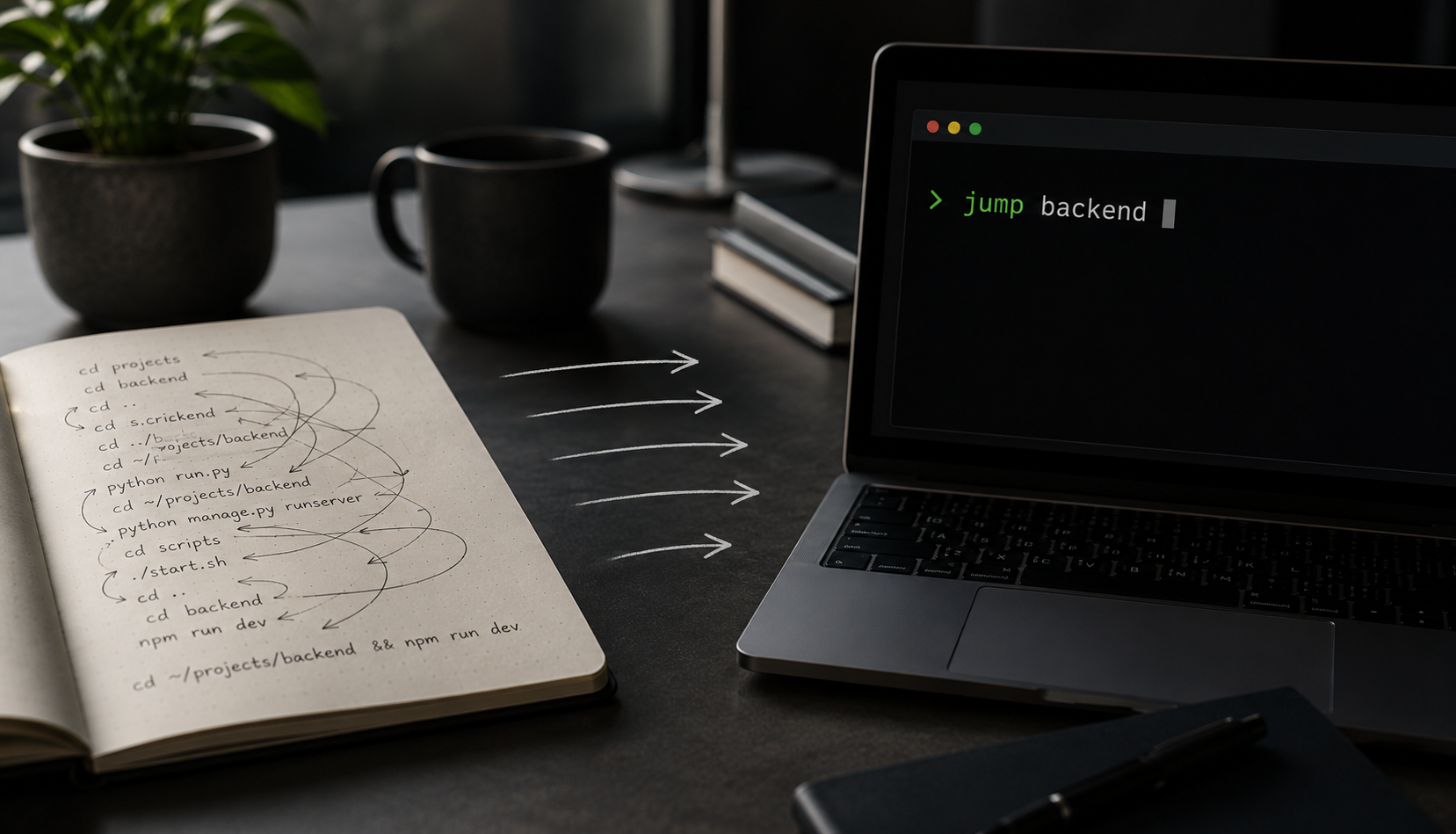
I was mid-task in a terminal, doing the thing I do a dozen times a week without noticing: opening a new shell and wondering whether the backend lived in this folder or that one, then typing out a full path I could never quite remember. It happened three times one morning. The third time, I thought — I should just be able to type jump backend and be there. So I described exactly that to Claude Code and went back to work. A little while later, I had a working repo in my hands.
The short version
I described a small command-line tool out loud, and a few minutes of AI work later it existed — installer, uninstaller, tab completion, README and all. The tool itself is forgettable. What matters is the clock: building exactly what I wanted took less time than it would have taken to find and learn a tool that already does it. That quietly changes which everyday annoyances are worth fixing.
Key takeaways
- From passing thought to a working, installable tool in under six minutes of actual work — roughly the time it takes to make coffee.
- It came back fully packaged — install and uninstall scripts, bash and zsh completion, a README, and a license — with zero code fixes needed.
- Good directory-jumpers already exist (zoxide, autojump, z). I built my own anyway — because comparing them would have cost more time than building did.
- The shift isn't "AI can write a script." It's that the time between "I wish this existed" and "it exists, exactly how I want" has nearly collapsed.
What I built
It's called Project Jumper, and it's about as simple as it sounds. Instead of cd ~/projects/my-api, I type jump api. You keep a small config file of name=path shortcuts, and jump takes you straight there. Run it with no arguments and it lists everything you've set up. Tab completion works on the shortcut names. That's the whole product — it solves one annoyance, and it solves it completely.
You register a shortcut once, from wherever you happen to be:

And from then on, one word gets you there — no path to remember:

The part that surprised me
Here's what I didn't expect: it didn't come back as a throwaway script. It came back packaged.
There's an install.sh that copies the script into place, sets up your config from an example, and appends a single guarded source line to whichever of ~/.bashrc or ~/.zshrc you actually have — append-only, so it never touches anything else in your rc files. There's an uninstall.sh that cleanly reverses all of that and makes a backup first. Tab completion is implemented for both bash and zsh. There's a README and an MIT license.
In other words, the boring-but-essential 80% — the parts that make a tool something you can actually install, trust, and remove safely — were just there. That's usually the work that makes a "quick script" never get finished. Here it was the default.
The receipts
This is the bit my colleagues didn't believe until I showed them the usage screen:
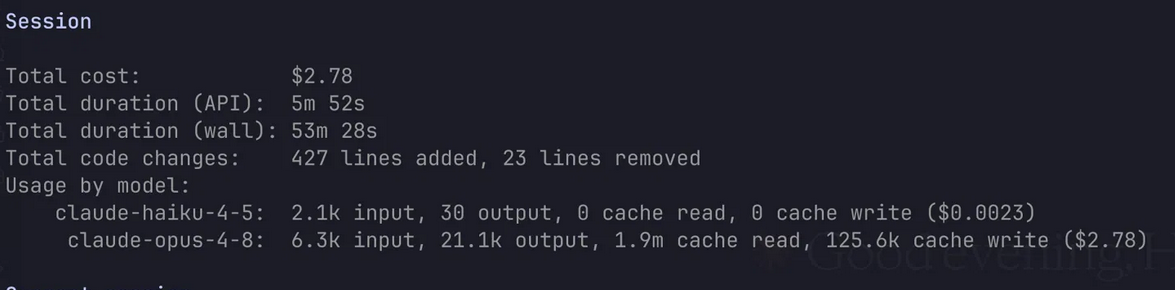
- Actual AI work: under 6 minutes (5m 52s of API time)
- Code changes: 427 lines added, 23 removed
- Code fixes needed: zero — it worked the first time
- Total cost: $2.78 — a rounding error next to the time it saved
The wall-clock said about 53 minutes, but almost none of that was the build. That time was me poking at it — testing the install on my own machine, making sure the uninstaller really did clean up. The tool itself was done in the time it takes to make coffee. And the work that's usually the real time sink — the follow-ups ("good to go?", "can you tidy up the README?") — never turned into the thing that eats an afternoon, because I never once had to say "this is broken, fix it."
Forget the dollars — watch the clock
The $2.78 makes a fun screenshot, but it's the least interesting number on it. Money was never what made small tools like this not get built. Nobody ever skipped writing a directory shortcut because it cost too much. They skipped it because it cost time — the twenty minutes to find a tool, the hour to wire it up, the afternoon lost to a script that almost works.
That's the line that moved. The build collapsed to a few minutes of attention I could spend without breaking from what I was actually doing. Cheap was always possible; fast enough to not interrupt your train of thought is the new part. When fixing the annoyance takes less time than the annoyance itself, you simply stop tolerating it.
The thing actually worth thinking about
Here's the honest twist. There are already great tools that do directory-jumping — zoxide, autojump, z. I didn't use any of them. Not because I rejected them — because I didn't think about them at all. I had an itch, I described the behavior I wanted, and I got it.
A year or two ago, the "correct" move would've been: stop working, spend 20–30 minutes searching, compare three tools, read their docs, install one, learn its quirks, and then bend my habits around how it decided things should work. That's real friction, and it's exactly why most small annoyances never get fixed — the fix costs more attention than the annoyance does.
What changed isn't that AI can write a bash script. It's that the time to go from "I wish this existed" to "this exists, and it works exactly how I want" dropped below the time it takes to go looking for it. When building the bespoke thing is faster than finding the generic thing, the whole calculation flips. You stop tolerating tiny inefficiencies. You describe what you want and keep moving.
That's the same shift we wrote about in The Transformation of Programming — the engineer's job moving from writing code to deciding what's worth building. A directory jumper is the harmless, coffee-break version of it. The serious version is what happens when that same collapse in time meets real production work: in our Sensor-to-Code Automation project, turning natural-language intent into production IoT code cut deployment from days to a 20× faster turnaround. Same dynamic, much higher stakes.
Where this logic stops
If you've got your own zoxide you'd rather use — genuinely, use it; they're excellent. And the "just build it" instinct has a clear boundary. It holds for small, well-scoped, low-stakes tools that only affect you. The moment something touches production data, security, or other people's workflows, the calculus changes — that's where evaluation, review, and judgment still earn their keep, and it's where we spend most of our engineering time. Fast to build is not the same as safe to ship.
Project Jumper is open source if you want it: github.com/harshmondal/project-jumper. Total investment: one passing thought and a coffee's worth of time. That's the whole story — and that's kind of the point.